
Static vs Dynamic QR Codes: Which One Should You Use?

The main difference shows up after you print
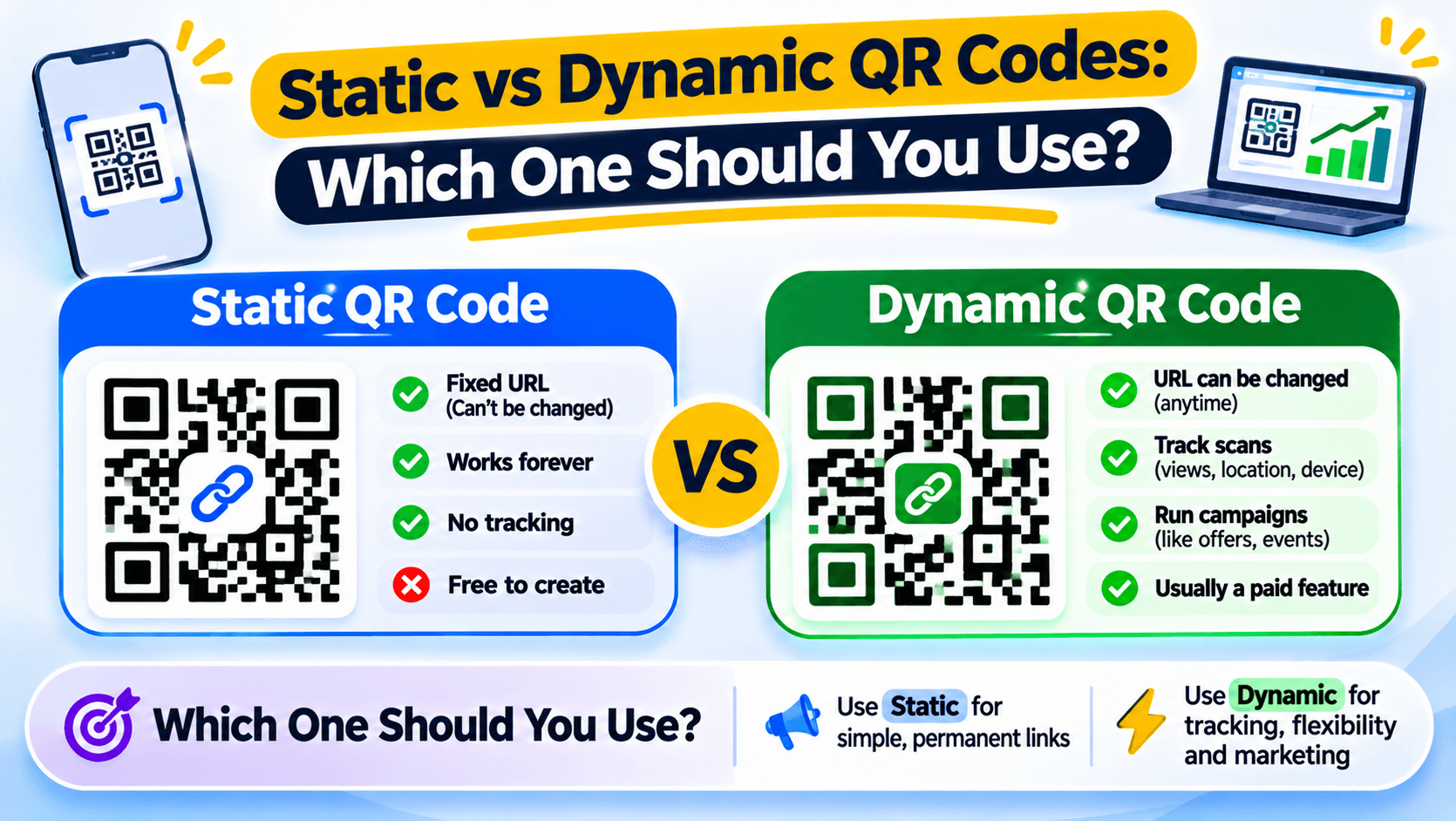
A static QR code stores the destination inside the pattern. A dynamic QR code points to a redirect link that can send visitors to a page you can change later. They may look similar on a poster, but they work differently after printing.
Choose the type before you send the design to the printer. A static code cannot be turned into a dynamic one after it is printed.
Use a static QR code for fixed information
A static code is a good fit for Wi-Fi details, a contact card or a web address that will stay the same. The information is stored in the code itself. You do not need a redirect service to read it.
If the website address changes later, you will need a new code. The printed pattern cannot be edited.
Use a dynamic QR code when the destination may change
A dynamic code points to a short redirect address. You can change the destination without changing the printed pattern, and a supported service can record scans. This is useful for menus, event posters, product packaging and campaign material that may need updates.
The trade-off is that the redirect service must keep working. If the account or service stops handling the link, the printed code may stop reaching the destination.
Examples: menu, Wi-Fi and product packaging
A cafe menu that changes each week may suit a dynamic code. The same code can point to the latest menu without reprinting table cards. A Wi-Fi code usually suits a static code because the network details are stored directly in the pattern.
For product packaging, decide whether the destination may change during the life of the product. If you need scan reports or might update the page, consider a dynamic code and check the service terms.
Test before the printer receives the file
Scan the final artwork from a phone. Check the destination, size, contrast and quiet space around the code. If you use a dynamic code, change the destination on a test code and confirm that the same printed pattern reaches the new page.
Choose the QR code before you send it to print
Recut can create static QR codes and dynamic, trackable QR codes. The dynamic QR option is marked Pro on the current QR page. Check the plan and destination-editing options in your account before printing a large batch. See Recut QR Codes.
Frequently asked questions
Can you change a static QR code after printing?
No. The destination is stored in the pattern. You need to create and print a new code to change it.
Can you change a dynamic QR code after printing?
Yes, if the redirect service still manages the code. You change the destination behind the same printed pattern.
Which QR code should I use for a restaurant menu?
Use a dynamic code if the printed code should keep working while the menu URL changes. A static code is fine if the destination stays fixed.
Do dynamic QR codes need an online service?
Yes. A dynamic code depends on the redirect service that sends the scan to the destination.
Gaurav Kumar
AuthorWriting about link infrastructure, branded domains, retargeting pixels, and URL shortener analytics.