
How to Give Your Team Access to Short Links Without Sharing a Password

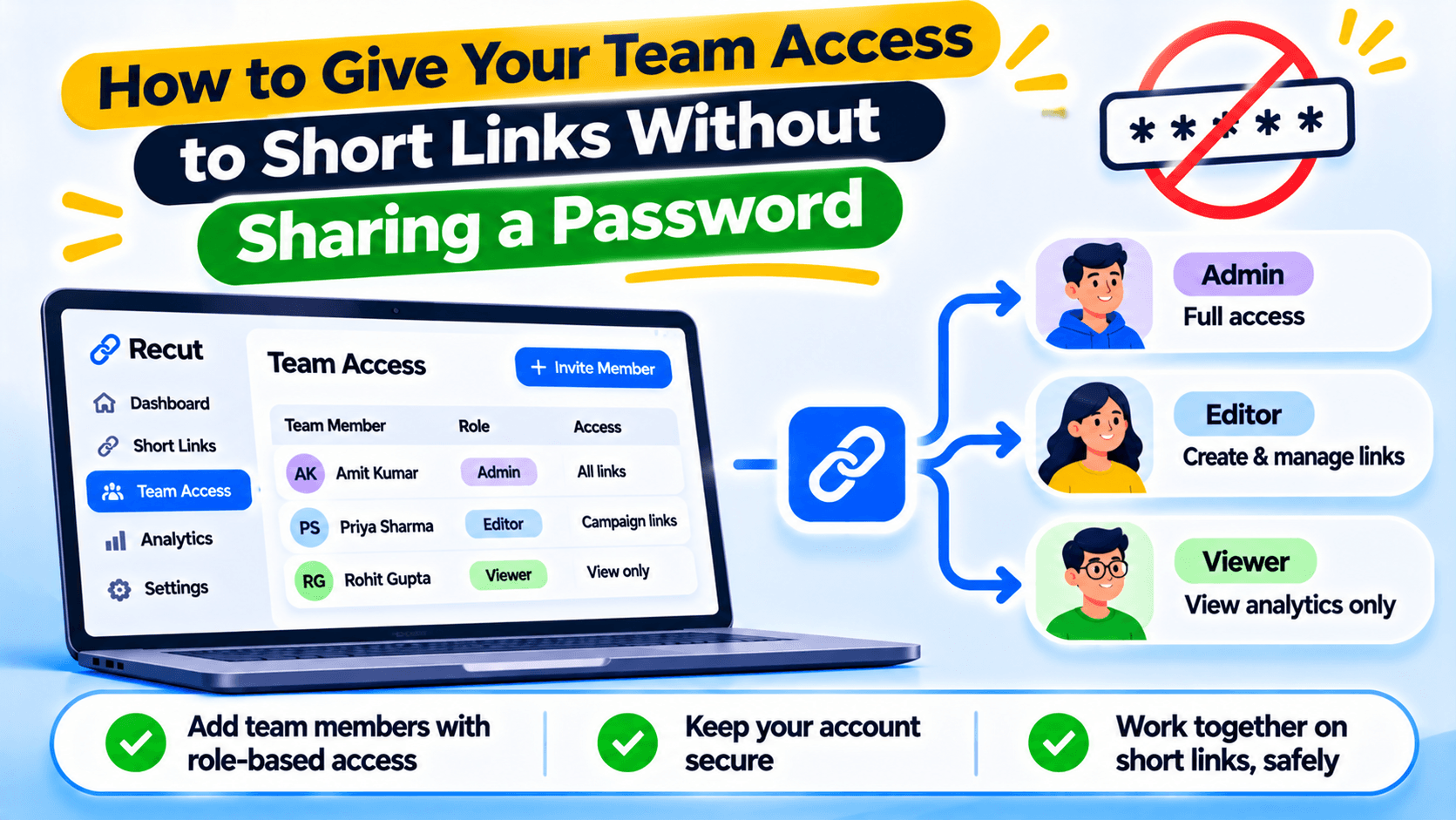
Give each person their own login
If everyone on your team uses the same URL shortener password, nobody knows who changed a destination or deleted a link. It is also hard to remove access when someone leaves. Give each person their own account where team access is supported.
Match the role to the work
An admin may need to manage the workspace and invite people. An editor may need to create or update links. A viewer may only need to check links or reports. Give people the access they need to do their job, not the highest role available.
The exact actions allowed by each role depend on the product. Read the current permission list before assigning a role to an agency, client or contractor.
Invite people before a campaign starts
Add team members before the launch date. Check that they can see the correct workspace and links. Ask them to create a test link or open a report so you know the invitation worked. Do not wait until an ad is live to find out that a teammate cannot access the campaign.
Remove access when the work ends
When a contractor or staff member leaves, remove their access. Review shared accounts, old API keys and any integrations they set up. Change passwords only when needed; removing the person's own access is the first step.
Keep ownership clear
Choose who owns the domain, billing account and main workspace. Team members may come and go, but your business should keep control of the links customers already use. Keep a record of the person who can update DNS and account recovery details.
Give each teammate their own Recut login
In Recut, you can invite team members and assign Admin, Editor or Viewer access. Give each person only the permissions they need, and review access when someone changes role or leaves the team. See the Recut URL Shortener.
Frequently asked questions
Why should every team member have a separate login?
Separate logins make it easier to remove access and see who made a change. They also avoid sharing one password across the team.
What is the difference between Admin, Editor and Viewer?
They are different access levels. Check the current permission list to see which actions each role can take.
Can I give a client access without making them an admin?
Use the lowest role that lets the client do the work they need. Check whether the Viewer or Editor role fits their tasks.
What should I do when a team member leaves?
Remove their access, review shared credentials and check any API keys or integrations they managed.
Gaurav Kumar
AuthorWriting about link infrastructure, branded domains, retargeting pixels, and URL shortener analytics.