
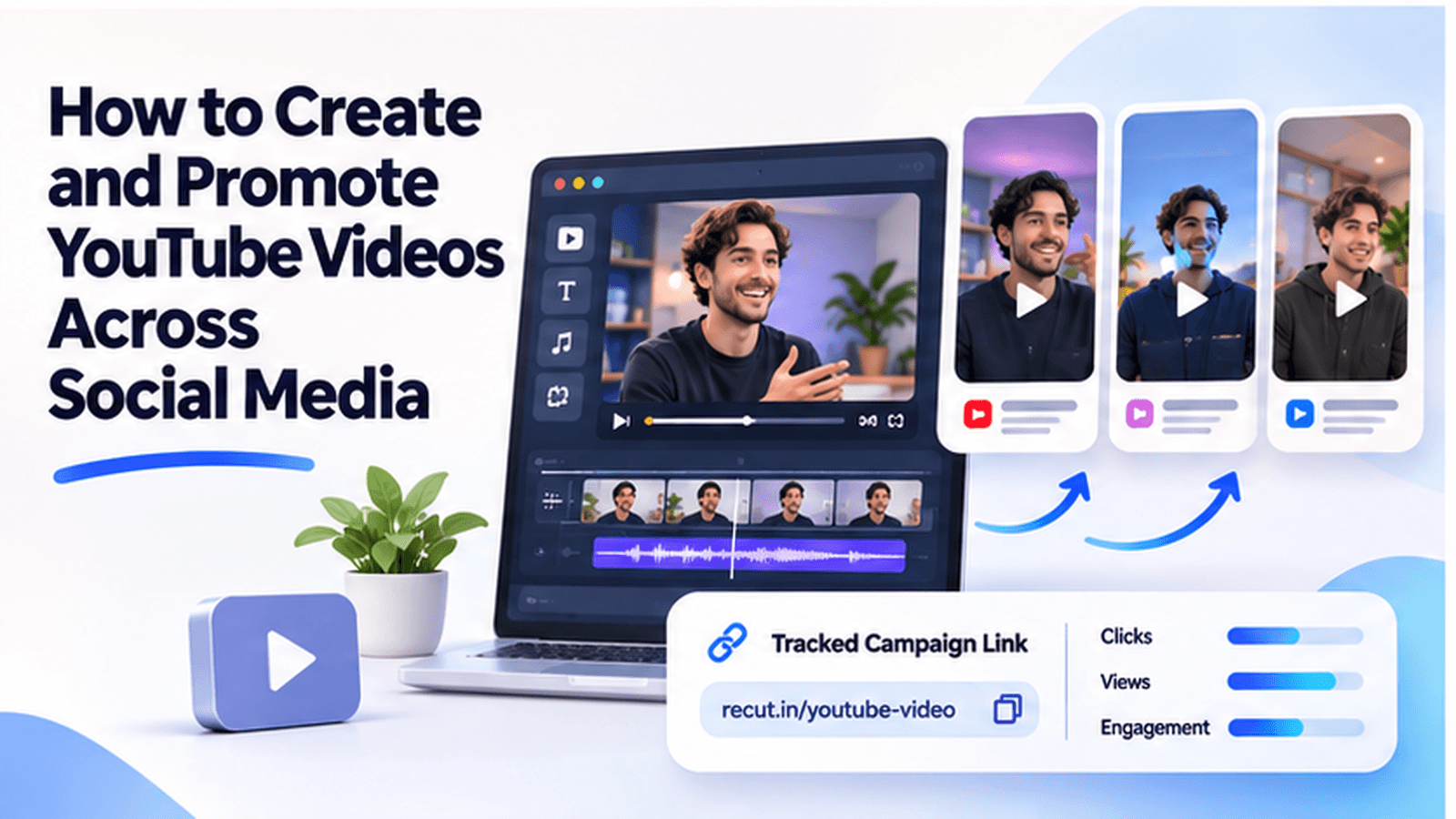
Creating and promoting a YouTube video across social media means editing one long video once, then reshaping it into native posts for each platform. A video that stays only on YouTube depends on viewers who already visit YouTube. Short clips on other platforms bring new viewers back to the full video. Repurposing keeps the message consistent while the format changes.
This guide covers the workflow from first cut to promotion. It shows how to build one project that produces the long video, the vertical clips, and the captions. It uses invideo editor for the steps and flags the limits to watch.
Why should one YouTube video become many social posts?
Each platform has its own audience and its own habits. A viewer on a short-video feed may never search YouTube. A clip that reaches that viewer can point them to the full video.
Repurposing also saves effort. The footage, the script, and the message already exist. Only the shape of the post changes.
Treat the YouTube video as the hub. Treat every clip, caption, and post as a spoke that leads back to it.
What should a YouTube video editor handle for cross-platform promotion?
A YouTube video editor should handle the long cut, the vertical clips, and the captions in one project.
A youtube video editor can handle the long cut and the short in the same project.
That setup removes duplicate work. In invideo editor, captions generate automatically and stay synced as the edit changes. Chapter markers on the timeline export as timestamps formatted for YouTube.
Resizing is part of the same project. Presets cover vertical video for TikTok and square video for Instagram. Safe zone presets guide where content sits in each aspect ratio.
How do you create a YouTube video that is ready to repurpose?
Invideo Editor gives YouTube creators a multitrack timeline. AI agents log footage, assemble a rough cut without filler and silences, and match a reference edit's pacing. Editors can trim by deleting sentences from the transcript. They can add automatic captions, grade color, and mix audio in the same project. Teams edit together and leave frame-accurate comments on review links.
Plan for repurposing before the edit starts.
- Mark the strong moments. Note the hook, the best example, and the clearest takeaway. Each can become its own clip.
- Upload the footage. Add clips, music, voiceovers, and graphics to the project. Let the agent log every take by dialogue and camera angle.
- Build the first cut. Tell the agent what kind of video you want. It selects the best takes and assembles them on the timeline.
- Refine the edit. Trim clips, balance audio, add captions, and place chapter markers where the topic changes.
- Export the long video. Export an MP4 for YouTube at up to 4K.
How do you turn one YouTube video into Shorts, Reels, and TikTok clips?
Branch a vertical version from the long edit. Pick one moment from the strong-moments list and build the clip around it.
Reframe tracks the subject through the vertical crop. That keeps the speaker in frame. Resize with the vertical preset for TikTok or the square preset for Instagram.
Then adjust the clip for the new platform.
- Rewrite the hook: open on the most interesting line, not the original introduction.
- Keep captions on screen: many viewers watch with the sound off.
- Trim to one idea: each clip should make a single point.
- End with a pointer: tell viewers where to find the full video.
Short clips are also a good place to test hooks. If one opening works better, use it as a guide for the next long video.
What should each platform post include to promote the video?
Each post should look native to its platform. It should also point back to the YouTube video.
- YouTube: a clear title, a thumbnail, chapters, and timestamps in the description.
- Shorts, Reels, and TikTok: a vertical clip with captions and a spoken or written pointer to the full video.
- Instagram feed: a square cut with captions for viewers who scroll without sound.
- Text-led platforms: a short caption with one key takeaway and a link to the video.
Post each clip natively instead of sharing a link alone. A link-only post asks the viewer to leave the feed. A clip gives them a reason first.
How do you plan a cross-platform release without losing track?
Build a simple release checklist for every video. It should list the long video, each clip, each caption, and each posting date.
Publish the long video first. Then release the clips over the following days. Staggering the posts gives viewers a fresh reason to click each time.
Keep review in one place. Shareable review links let teammates scrub the finished cut in the browser. They can leave frame-accurate comments, and the agents can pick the notes up from there.
After publishing, check the analytics on each platform. Note which clips led viewers to the full video. Use those results to choose the next round of hooks.
Where does repurposing across platforms still need a human decision?
Repurposing works best when a person judges each post. A clip that works on one platform can fall flat on another. Check each platform's current format rules and policies before posting.
Review the AI-built edits, too. Agents assemble a first cut, but an editor should confirm the pacing and the message. Confirm music rights for every platform you post on.
The editor itself has limits. Nested sequences and node-based color grading still favor a desktop editor. Agent features also run on credits through paid plans.
YouTube promotion and editing FAQs
How do I promote a YouTube video on social media?
Cut short clips from the video and post them natively on each platform. Add captions and end each clip with a pointer to the full video. Stagger the posts over several days.
Can I make Shorts from a long YouTube video?
Yes. Branch a vertical 9:16 version from the long edit. Let reframe track the subject through the crop. Then trim the clip to one idea and export it.
How do I add chapters to a YouTube video?
Drop chapter markers on the timeline where the topic changes. Export the timestamps formatted for YouTube and paste them into the description. The first chapter must start at 0:00, and there must be at least three.
Is Invideo Editor free for YouTube editing?
The manual timeline is free to use. AI agent features run on credits through paid plans: Starter at $20/month with limited agent access, Plus at $60/month with full agent access, and Max at $150/month for higher usage.
What file format should I use for YouTube uploads?
Use MP4 with H.264 encoding. Invideo Editor exports MP4 by default at up to 4K.

Team Recut
AuthorArticles featuring sponsored brands, products, and services.